Enter its DPI code or scan an Urbn plaque to view the available record and verification status.
See a Sample Record
Explore an example of a property record. This sample is for illustration.
Sample Record
Property Verified
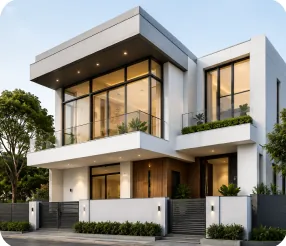
This DPI identifies the property below. It completed Urbn's required verification checks.
 Verified
DPI Code
SAMPLE-0001-D
Olatunde House
Ibadan, Oyo · House no. 41A · Whole Property
A bright, detached four-bedroom duplex on a quiet, gated street minutes from Bodija Market and the University of Ibadan. Every bedroom is en-suite, the kitchen is fully fitted, and there's a one-room BQ with its own entrance.
- Verification Status
- Verified
- Registered Address
- 41A Adeyemo Street, Bodija, Ibadan North LGA, Oyo
- Building Type
- Detached Duplex
- Registration Date
- 12 Mar 2026
₦3,500,000/yr
For Rent
U-Beep lets the people at this property know you're at the gate. They can reply within 30 minutes.
Sample RecordThis example shows how a property record may appear. Available details depend on the record and access settings.
Record History
View the property updates and events available on this record.
02 Mar 2026
Property submitted
05 Mar 2026
Identity check completed
09 Mar 2026
Documents reviewed
11 Mar 2026
Property checks completed
12 Mar 2026
Verification complete
No Matching Record
We couldn't find a record for this code. Check it and try again, or ask the owner or manager for the current DPI.
Next steps
- 01
Check the Code
Enter the complete code exactly as it appears on the plaque or property record, then try again.
- 02
Ask for the Current DPI
Ask the owner or manager for the property's current DPI or record.
- 03
Review the Documents
A missing result does not establish whether the property is legitimate. Review the available documents before committing.
Own or Manage This Property?
Add Your PropertyU-Beep
Let Them Know You're at the Gate
Every Urbn plaque is also a doorbell. Scan it, and beep the people inside, without needing their number.
- 01
Scan the Plaque
Point your phone camera at the QR code on the property's Urbn plaque. It opens in the Urbn app, or on this website if you don't have it.
- 02
Tap U-Beep
Say why you're there (a delivery, a visit, a service call) and add a short message. Pick the unit if there's more than one.
- 03
Get a Reply
The people at the property get an alert and can reply within 30 minutes. On the website, you confirm your number with a code first.
Check Before You Commit
Before paying or signing, check the property's current Urbn record, review the available details and ask about anything that does not match.
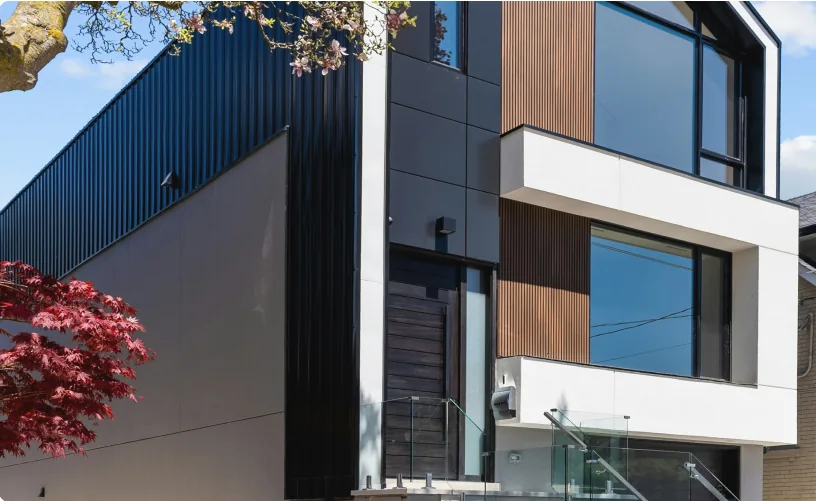
Add Your Property to Urbn
Create a connected property record and complete the required verification checks.
Add Your PropertyFAQs
Questions about property identity, inspections or getting started? Find out how Urbn works.
Enter its DPI code on Urbn's Verify page or scan its plaque. Review the available details and current verification status.

Your Property. Your Next Step.
Find a property, check its record or bring your own property onto Urbn. Start with what you need today.